Oven activity
In the activity details page, you can find the list of all cooking and washing processes started on your oven during the selected period. To change the period, click the calendar in the top right corner of the page and select the desired date range.
Next to the calendar, you can also find the DOWNLOAD HACCP button. By clicking it, you can download an Excel file containing the HACCP data of your oven for the selected period.
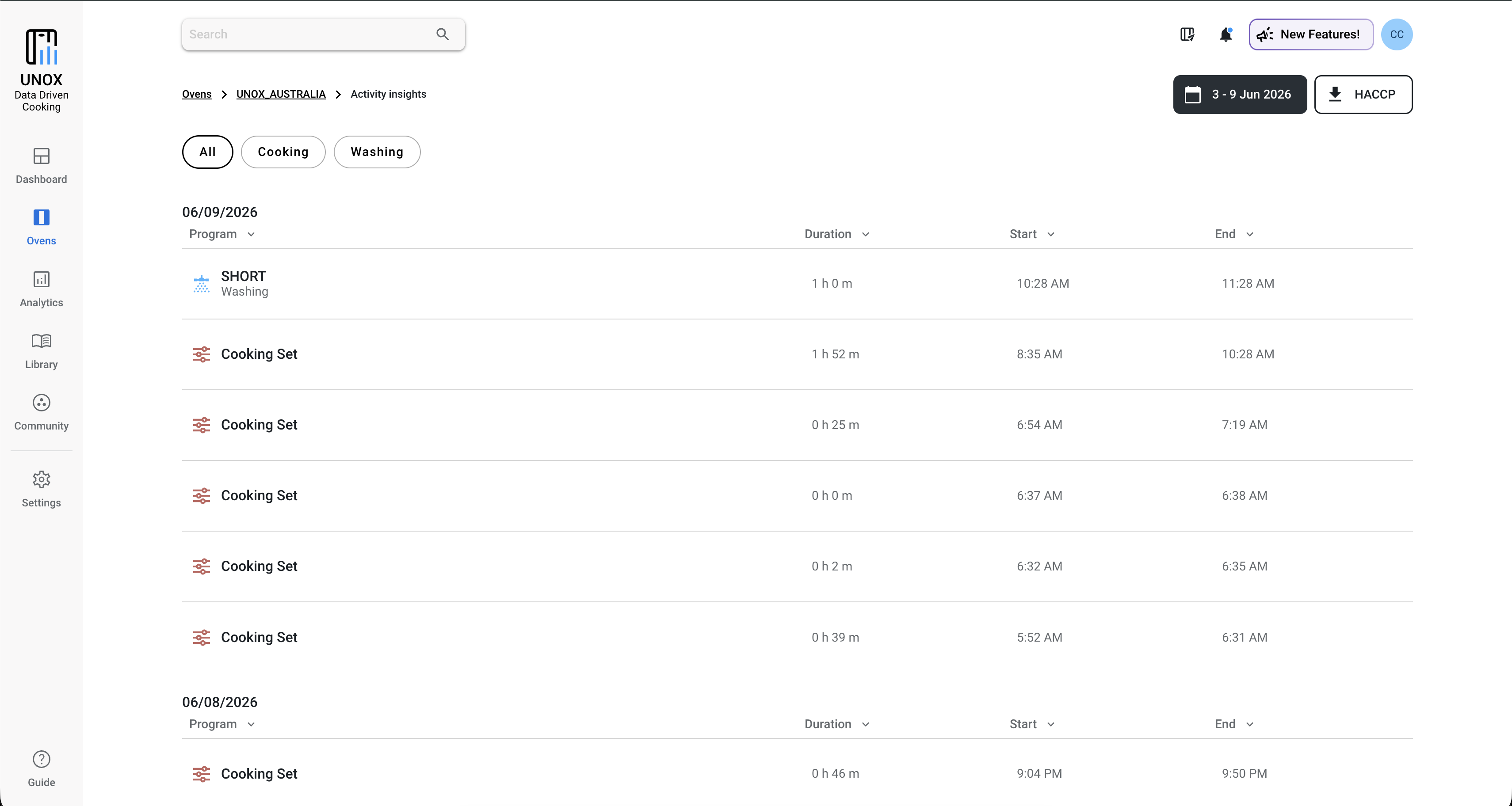
Cooking and washing processes are grouped by day. For each activity, you can see its duration, start time and end time, according to the time zone of the user who is viewing the data.
Washing detail
Clicking on a washing process opens its detail page, where you can find useful information such as:
- Energy consumption
- Water consumption
- Steam water consumption
- Detergent consumption
- RO.Care filter consumption percentage
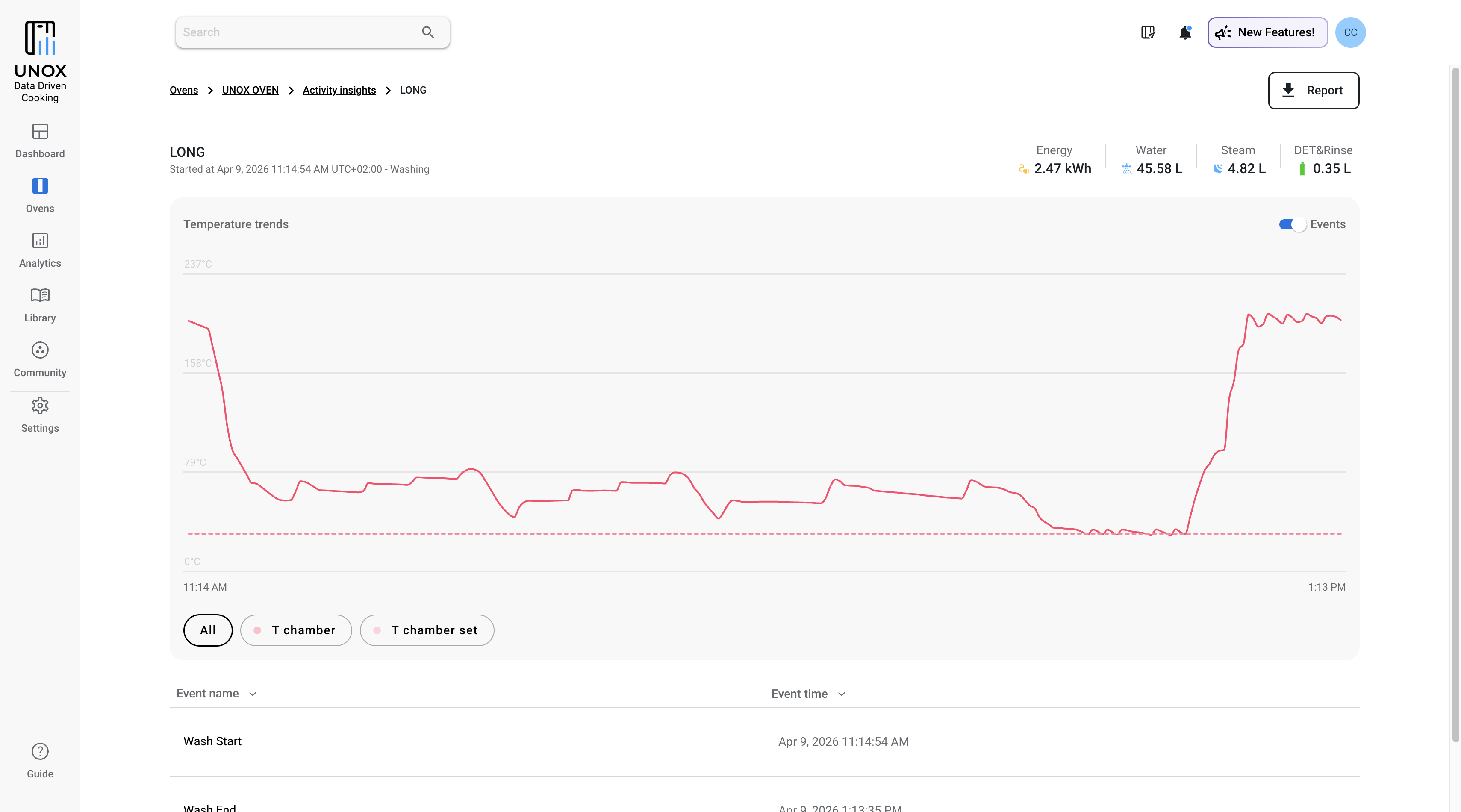
The page also includes a chart showing the temperature trend during the washing process. Below the chart, you can find the events table. Here you can check whether alarms or warnings occurred during the washing process.
Cooking detail
Clicking on a cooking process opens its detail page, where you can view the electric energy, gas and steam water consumption.
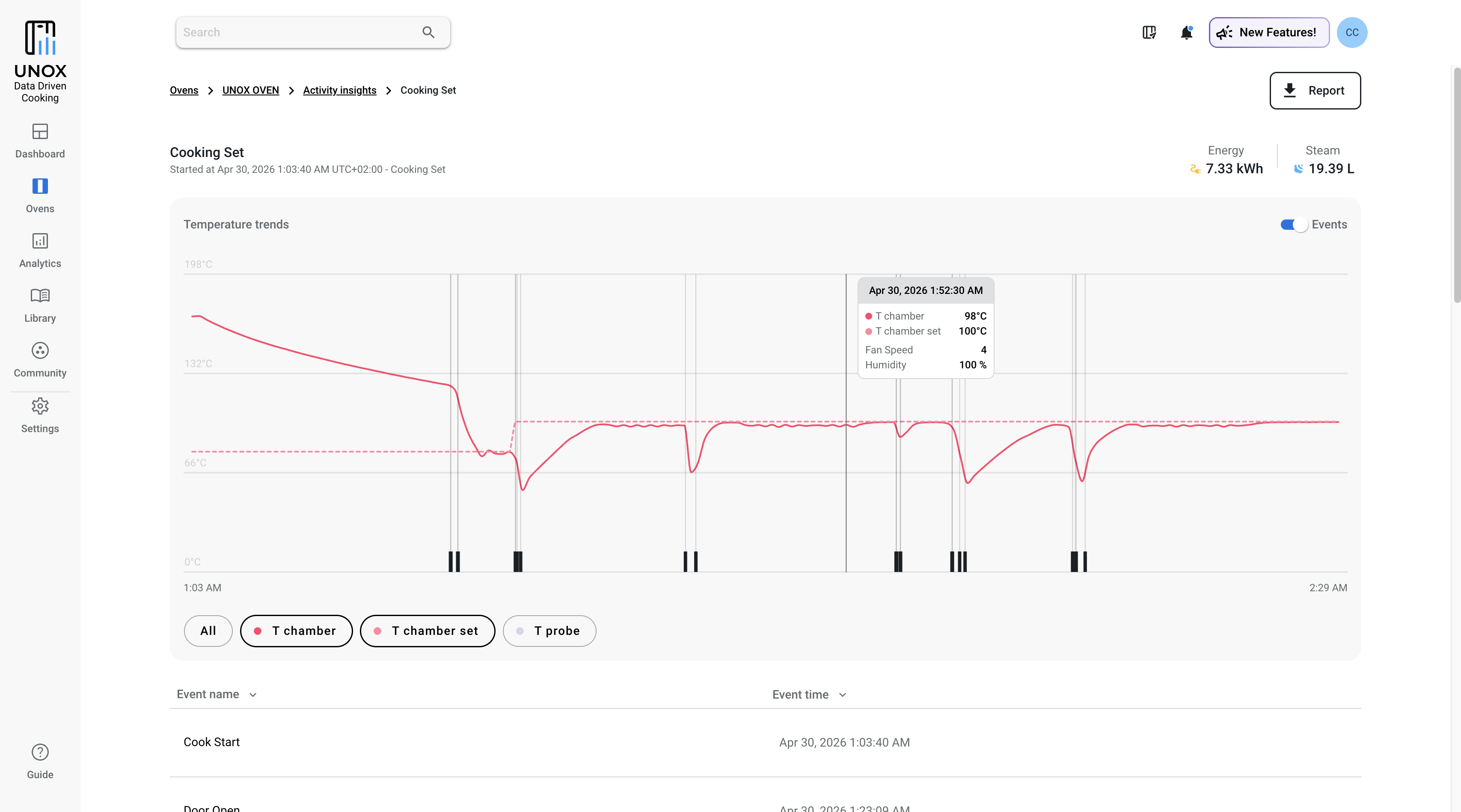
Depending on the oven line and on the type of cooking process, different chart lines may be available. These lines show the measured temperatures of the chamber probe, core probe and sous-vide probe.
The chart also displays the events that occurred during the cooking process.
For all oven lines, the following events are available:
- Cooking start
- Cooking end
- Door opening
- Door closing
- Alarms
- Warnings
For Digital.ID ovens, you can also view additional events, such as:
- Preheating end
- Cooking step change
- MULTI.Time and MULTI.Speed detail
MULTI.Time and MULTI.Speed
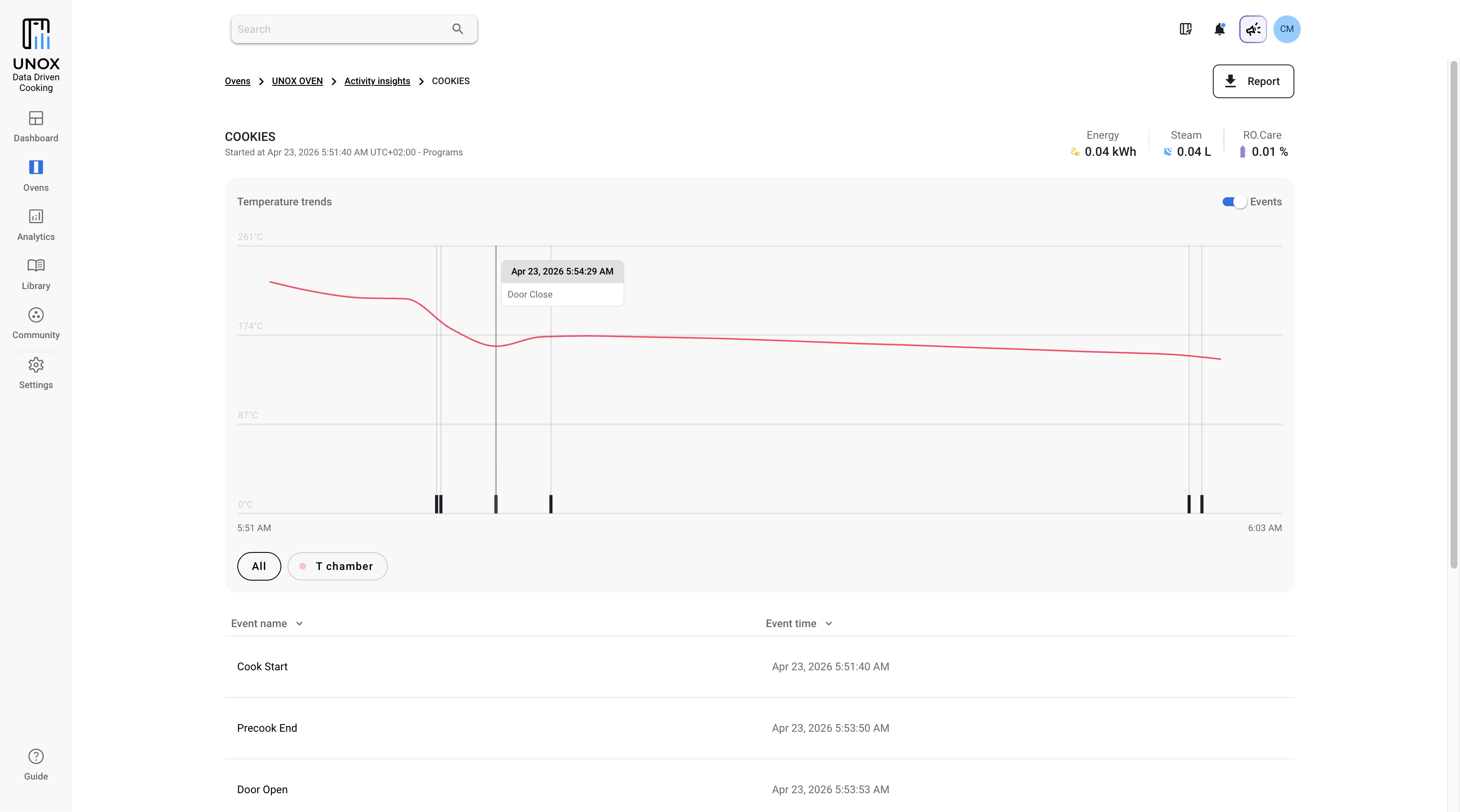
MULTI.Time and MULTI.Speed processes are recorded like any other cooking process. Consumption data, events and the temperature trend chart are also available for these processes.
For MULTI.Time and MULTI.Speed processes performed on Digital.ID ovens, you can also view the details of the single cooking programs and manual timers started within the process.
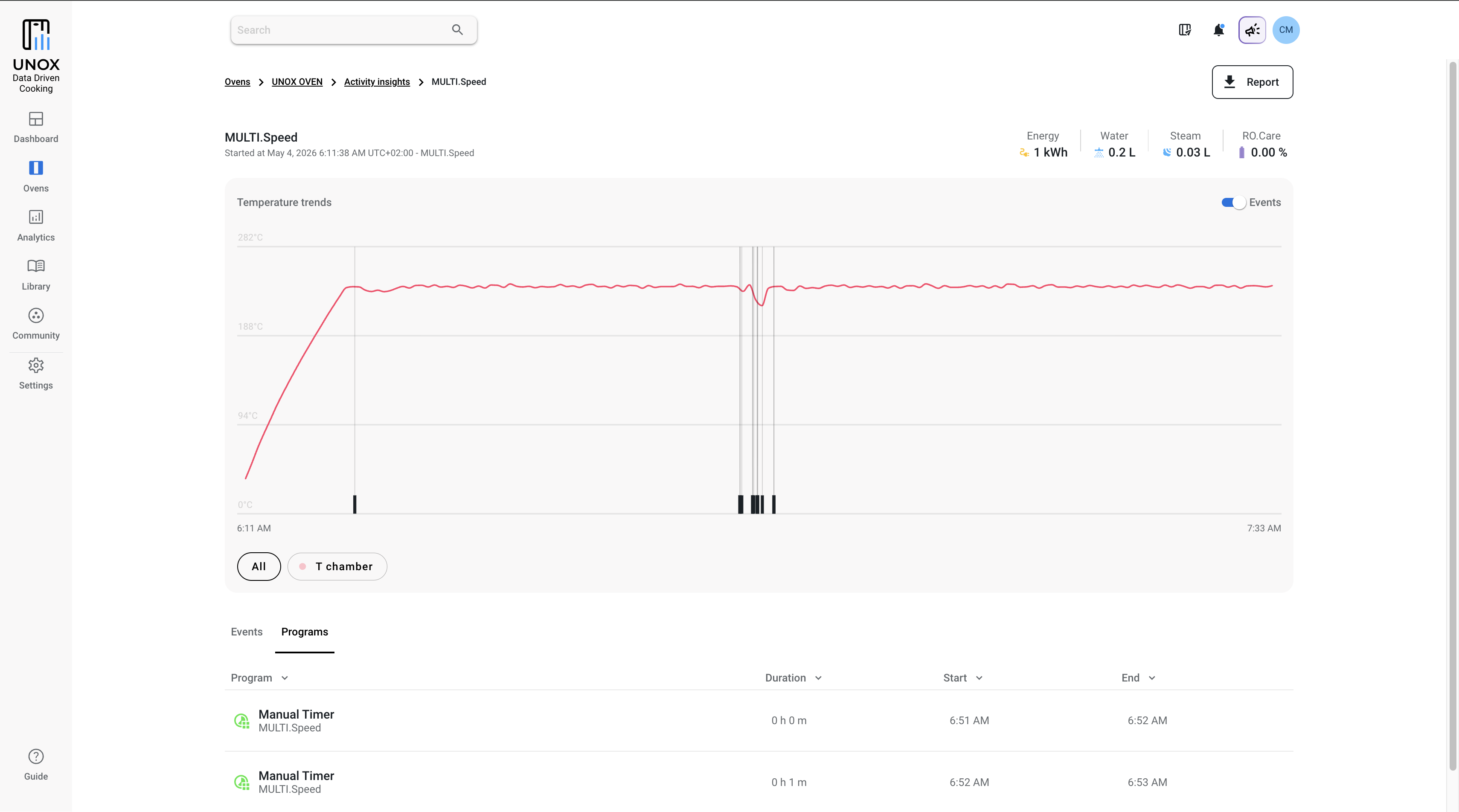
To view them, open the Programs tab below the chart and click the program or manual timer you are interested in.
For each program or timer, a dedicated detail page is available with all the information described above.
Download the report
A useful feature of the cooking, washing, MULTI.Time and MULTI.Speed detail pages is the REPORT button.
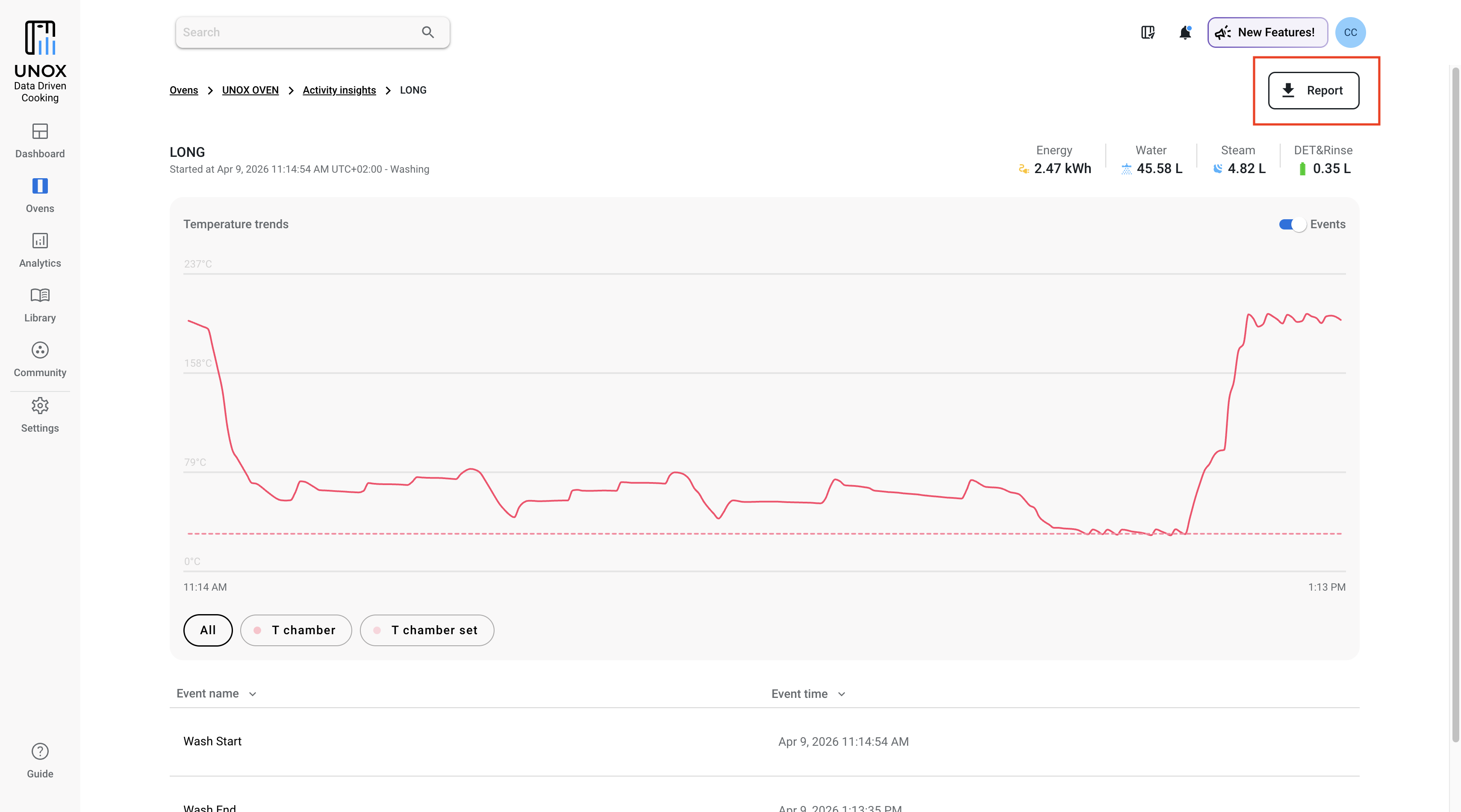
By clicking it, you can download a PDF file containing the details of the selected process.
The PDF includes the oven information, the account from which the data was downloaded and the cooking program information, when available.
You will also find the temperature trend chart and the consumption data.
At the bottom of the report, a table shows the chamber conditions logs and all the events available for that specific cooking or washing process.